Differentiated Math Worksheets
Print three ability levels of the same math worksheet in one PDF - one step easier, on level, one step harder - for a mixed-ability class.
Set up the worksheet you want, then turn on Differentiation Set. The download becomes one PDF with three versions of that sheet: one step below the settings you chose, the settings themselves, and one step above. Print once and split the stack into three piles.
Only the numbers change between the three sheets. Same problem count, same layout, same header and footer - so a child cannot tell across the table which level they were handed. The only marking is the code in the footer, which is different for each level and means nothing to a student.
What one step means depends on the worksheet. On a math facts page it narrows the range of numbers, then drops a digit; on a fractions page it lowers the largest denominator and moves between like and unlike; on a telling-time page it moves the clock interval. If your settings are already at the easiest or hardest end, the set prints two sheets and tells you so before you download.
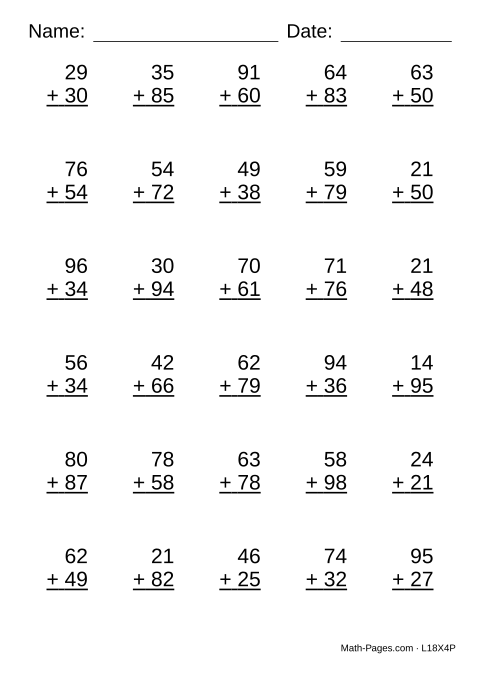
What this worksheet covers
- Add two-digit numbers at the level each student is ready for
- Practice the same skill as the class, one step easier or harder
Common Core standards
- 2.NBT.B.5 Fluently add and subtract within 100 using place-value strategies.
Frequently asked questions
How do the three levels differ?
Only in difficulty of the numbers. Everything else - how many problems, the layout, the fonts, the header - is identical, so the sheets look the same at arm's length. The three levels are one step easier than your settings, your settings as they are, and one step harder.
Will a student know which level they got?
Not from the page. There is no 'Level 2' printed anywhere. The only difference a student could see is the six-character code in the footer, which is there so you can tell the piles apart and reprint a sheet later.
What if my worksheet is already as easy as it goes?
The set drops to two sheets - your level and one step up - and a line above the download says so before you print. It never prints the same sheet twice and calls them different levels.
Does this work for fractions, money and telling time too?
Yes. Each worksheet type defines its own idea of one step easier or harder - denominators for fractions, the dollar range for money, the clock interval for telling time - so the set makes sense whatever you are printing.